Page 2 of 2
Re: Windows Command Line
Posted: Mon Dec 29, 2014 11:12 am
by Sem;colon
Yes, replace was just the first thing that came to my mind (I don't think there is a codepage with a dot in the name)
MS$ translations are always fun - especially when it comes to the cmd

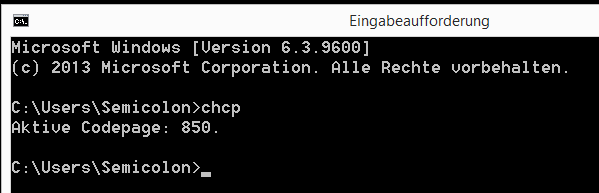
- cmd.PNG (6.37 KiB) Viewed 6901 times
Re: Windows Command Line
Posted: Wed Dec 31, 2014 4:46 pm
by kkl
Am I doing something wrong? In sem;colon's example above, several events are generated. When I try a basic command, there are no events generated. However, the result of the command is found in eg.result. Windows 8.1, 64-bit.
Also, Pako, would you consider making an elevated command (i.e. administrator) version of this? I have a need to use the Devcon command and currently have to use some workarounds to make it work. Thanks.
Re: Windows Command Line
Posted: Wed Dec 31, 2014 8:02 pm
by jonib
kkl wrote:Am I doing something wrong? In sem;colon's example above, several events are generated.
Do you mean the process.created.* events? those are from the "Process Watcher" plugin.
jonib
Re: Windows Command Line
Posted: Wed Dec 31, 2014 8:55 pm
by kkl
Yes, that's what I was looking at. Thanks for the help Jonib.
Re: Windows Command Line
Posted: Thu Jan 01, 2015 4:19 pm
by Sem;colon
kkl wrote:would you consider making an elevated command (i.e. administrator) version of this? I have a need to use the Devcon command and currently have to use some workarounds to make it work. Thanks.
You can do that by:
-Running EG as admin
-Using PSexec and store your admin credentials somewhere
-Using the windows task scheduler
Re: Windows Command Line
Posted: Thu Jan 01, 2015 6:42 pm
by kkl
Sem;colon wrote:
You can do that by:
-Running EG as admin
-Using PSexec and store your admin credentials somewhere
-Using the windows task scheduler
Sem;colon, thanks for the feedback. I am aware of these options from
this thread. I've used the last two successfully. The first one doesn't work, at least not for the Devcon command.
I am happy that a workaround exists, but I'm still hoping that that it might be simple to create an admin privileges option for this plug-in. Pako never ceases to amaze me.
Re: Windows Command Line
Posted: Fri Jan 02, 2015 2:21 pm
by Pako
kkl wrote:Also, Pako, would you consider making an elevated command (i.e. administrator) version of this?
I spent working on it for several hours, but I finally decided that I will not do it.
I found that it would have too many flaws and limitations.
That would actually be just such a better workaround.
Pako
Re: Windows Command Line
Posted: Fri Jan 02, 2015 8:34 pm
by zian
Pako never ceases to amaze me.
Me too.
Re: Windows Command Line
Posted: Sat Jan 03, 2015 10:57 pm
by kkl
Pako wrote:I spent working on it for several hours, but I finally decided that I will not do it.
Thanks very much for taking the time to consider it.
Re: Windows Command Line
Posted: Sat Jan 10, 2015 9:05 pm
by Sem;colon
Hi Pako,
I just wanted to give you one more feedback.
It works great now with EG v0.4.1r1687, thank you!
