Page 24 of 37
Re: ClimateDataCalculation
Posted: Thu Jun 04, 2015 12:24 pm
by Mastiff
It started up now, yeah.

But I got another error message that I don't think I've seen before:
Code: Select all
14:21:20   Exception in thread Thread-11:
14:21:20   Traceback (most recent call last):
14:21:20     File "threading.pyc", line 532, in __bootstrap_inner
14:21:20     File "threading.pyc", line 484, in run
14:21:20     File "C:\Program Files (x86)\EventGhost\eg\Classes\SerialThread.py", line 370, in ReceiveThreadProc
14:21:20       raise SerialError()
14:21:20   SerialError: (6, 'Ugyldig referanse.')
14:21:20
But it happens right after the connection to NetHomeServer TCP interface. So maybe it's unrelated?
But the report is great, that works exactly as it should, as far as I can see!
Re: ClimateDataCalculation
Posted: Thu Jun 04, 2015 1:16 pm
by krambriw
Feedback for report: Thank you, great!!!
Serial error: is of course not related to the report but could be that the serial port was not fully available and ready when some other plugin tried to use it (could be the RFXtrx or TellStickDuo..or other serial device and plug). You are running in a VM? Then this could be that the VM did not (temporary) get access from the OS
Re: ClimateDataCalculation
Posted: Thu Jun 04, 2015 1:21 pm
by Mastiff
Re: ClimateDataCalculation
Posted: Fri Jun 05, 2015 8:50 pm
by Mastiff
Re: ClimateDataCalculation
Posted: Fri Jun 05, 2015 10:04 pm
by krambriw
Thank you!
Have a nice weekend
Re: ClimateDataCalculation
Posted: Sat Jul 25, 2015 3:59 pm
by sintei
Hello,
I've been trying to use this plugin without success.
I think the problem is websockets.
From what I gather you guys are using websockets plugin? But isn't this standard in eventghost webserver plugin nowadays?
Downloaded the demo webpage and it says it is connected (Connection opened: 192.168.1.15:82). I don't know if websockets port is 82 as per normal webserver.
But no data is displayed.
The plugin climate data collection is enabled at autostart.
I have an incoming Oregon sensor event and added this to a "tempdata capture" action.
It seems the DB is getting info so I think it is collecting.
The plugin climate data collection is enabled at autostart.
If I do a "combined report" the html is generated but nothing is displayed there.
And this is where I think websockets comes into play and if I'm missing this or it is wrongfully configured this is why my html that is generated does not display anything.
I checked your (krimbraw) website for sample data reports and by the looks it is highcharts with websockets.
I have a moquitto broker with websockets enabled on a raspberry pi2 that works. But it only displays realtime information. The idea with your plugin is that I can have history

If you would be so kind to assist me in troubleshooting that would be sweet.
Also I thought that maybe I am missing some .js for the generated html?
Sincerely,
Nicklas
Re: ClimateDataCalculation
Posted: Sun Jul 26, 2015 6:57 am
by krambriw
I think we need to break the thing down into several steps and solve them one-by-one
1) The ClimateDataCalculation plugin has nothing to do with websockets. The plugin is used to collect data and to produce graphs with the history data. For this purpose it is also using HighCharts. If you see that the tempData.db is getting larger it means that your data collection is working.
2) If you do not see any graph being generated in the html, there could be several problems. First check that you have downloaded and unzipped the HighCharts zip package to your computer and that you have set the report path to that Highcharts folder
http://www.highcharts.com/download
3) Now back to websockets. Try to add some screenshots so that I can have a look at your configuration. The basic requirement is anyway that you have to feed the webserver with events before you can see them in the browser. So the first question is how do you feed the webserver with the events?
Re: ClimateDataCalculation
Posted: Sun Jul 26, 2015 8:51 pm
by sintei
Thanks!
First mistake, I did NOT have highcharts zip package.
I downloaded it and now it displays info, however, it is zero.
Settings are:
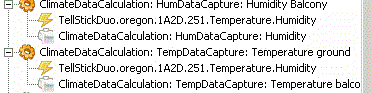
- macros.GIF (5.06 KiB) Viewed 4751 times
If climateplugin does not utilize websockets then we do not have to troubleshoot it as I do not use it in EG
/Nicklas
Re: ClimateDataCalculation
Posted: Mon Jul 27, 2015 5:30 am
by krambriw
You are almost there.
Instead of 1A2D.251 as device ID, use only 251 and it should work. To get a clean db, you could first delete the temData.db file to start from scratch
Re: ClimateDataCalculation
Posted: Mon Jul 27, 2015 8:37 pm
by sintei
krambriw wrote:You are almost there.
Instead of 1A2D.251 as device ID, use only 251 and it should work. To get a clean db, you could first delete the temData.db file to start from scratch
Ahhh, well yes, this did it!
I'm a happy camper now
Thank you for taking the time to help me troubleshoot this.
Now I'm off to see if I can change the layout of the website.html it creates. It is a tad to big for my application and creates scrollbars inside of it (iRule).
Again, thanks!
Re: ClimateDataCalculation
Posted: Thu Jul 30, 2015 6:12 pm
by sintei
Would it be too much to ask if you could add logging capabilities for z-wave devices?
20:06:35 Main.SilverHG/HomeAutomation.ZWave/2/event '0 {"Name":"Sensor.Temperature","Value":"25.1","Description":"","FieldType":"","UpdateTime":"2015-07-30T18:06:35.6393518Z","NeedsUpdate":false}'
19:58:12 Main.SilverHG/HomeAutomation.ZWave/2/event '0 {"Name":"Sensor.Luminance","Value":"11","Description":"","FieldType":"","UpdateTime":"2015-07-30T17:58:12.6733142Z","NeedsUpdate":false}'
I looked at the code and could probably just copy the oregon snippet and replace it with "Sensor.Temperature"?
Not really sure thou.
Also, Luminance would be sweet. But that would probably require a whole new class and this is where I think my python capabilities goes out the window.
I'll gladly paypal you a beer for it! *bribes*
//Nicklas
Re: ClimateDataCalculation
Posted: Sat Aug 01, 2015 8:19 am
by krambriw
Would it be too much to ask if you could add logging capabilities for z-wave devices?
20:06:35 Main.SilverHG/HomeAutomation.ZWave/2/event '0 {"Name":"Sensor.Temperature","Value":"25.1","Description":"","FieldType":"","UpdateTime":"2015-07-30T18:06:35.6393518Z","NeedsUpdate":false}'
19:58:12 Main.SilverHG/HomeAutomation.ZWave/2/event '0 {"Name":"Sensor.Luminance","Value":"11","Description":"","FieldType":"","UpdateTime":"2015-07-30T17:58:12.6733142Z","NeedsUpdate":false}'
I looked at the code and could probably just copy the oregon snippet and replace it with "Sensor.Temperature"?
Not really sure thou.
In general, it would be not be hard, using the method you suggested . But looking at the event above, how did you generate that, i.e. what plugin did you use? I do need to be able to detect a unique device ID or label in the event since it is likely that you or other users might have more than one device (if 'SilverHG/HomeAutomation.ZWave/2' is a unique identifier, it will do, or better as you suggested, "Sensor.Temperature" )
Also, Luminance would be sweet. But that would probably require a whole new class and this is where I think my python capabilities goes out the window.
Correct, but it is still interesting to add that. I do already have a capture action for LightData that I think could be applicable. If so, I only need to add support for the z-wave event. I suppose "Sensor.Luminance" would then be a unique identifier?
Best regards, Walter
Re: ClimateDataCalculation
Posted: Sat Aug 01, 2015 9:11 am
by sintei
krambriw wrote:Would it be too much to ask if you could add logging capabilities for z-wave devices?
20:06:35 Main.SilverHG/HomeAutomation.ZWave/2/event '0 {"Name":"Sensor.Temperature","Value":"25.1","Description":"","FieldType":"","UpdateTime":"2015-07-30T18:06:35.6393518Z","NeedsUpdate":false}'
19:58:12 Main.SilverHG/HomeAutomation.ZWave/2/event '0 {"Name":"Sensor.Luminance","Value":"11","Description":"","FieldType":"","UpdateTime":"2015-07-30T17:58:12.6733142Z","NeedsUpdate":false}'
I looked at the code and could probably just copy the oregon snippet and replace it with "Sensor.Temperature"?
Not really sure thou.
In general, it would be not be hard, using the method you suggested . But looking at the event above, how did you generate that, i.e. what plugin did you use? I do need to be able to detect a unique device ID or label in the event since it is likely that you or other users might have more than one device (if 'SilverHG/HomeAutomation.ZWave/2' is a unique identifier, it will do, or better as you suggested, "Sensor.Temperature" )
Also, Luminance would be sweet. But that would probably require a whole new class and this is where I think my python capabilities goes out the window.
Correct, but it is still interesting to add that. I do already have a capture action for LightData that I think could be applicable. If so, I only need to add support for the z-wave event. I suppose "Sensor.Luminance" would then be a unique identifier?
Best regards, Walter
I'm using the MQTT plugin.
So basically I'm just subscribing for the topics: SilverHG/HomeAutomation.ZWave/#
When I was looking at your code I thought about the ID but thought I would do a nasty hack and just implement the logging capabilities for myself

The special ID in this case is somewhat simple in that way that every sensor generated a number, ie: 'SilverHG/HomeAutomation.ZWave/2' whereas the "2" is an unique ID in the z-wave controller.
When the "2" is detected it has several attributes, in my case "2" can do both "Sensor.Luminance" and "Sensor.Temperature". So they are unique identifiers as well!
Since it is a MQTT message, I can drag drop the "2" or "1" or whatever ID individually to the macros in EG.
I am wondering if maybe it's feasible to add self adding sensors as "mysensors" instead of making it manual. I have attached a file with "mysensors" code, maybe you can see what has been done there and get hints.
Hope I am making sense

Anyways, I'll go over your code once more later this weekend. It's a good way to learn more how things work.
//Nicklas
Re: ClimateDataCalculation
Posted: Sat Aug 01, 2015 6:58 pm
by krambriw
I have tried to make a new version hopefully supporting your z-wave device...
Requirements:
1) Download the new version (the __init__.py file) from link below and replace the existing one
2) Restart EG
3) Create 2 new macros with actions to capture temperature and light respectively
4) Settings should be similar to below for your sensor
5) Drag & drop the z-wave events to correct macros and the logging should start
6) After a few events you should be able to create a combo report and select the new sources
For debugging reason, this version is printing the captured value
Lets see if it works

Re: ClimateDataCalculation
Posted: Tue Aug 04, 2015 7:19 pm
by sintei
Sorry for late reply.
Just tried it and it gives errors:
********
21:03:48 Main.SilverHG/HomeAutomation.ZWave/2/event '0 {"Name":"Sensor.Luminance","Value":"638","Description":"","FieldType":"","UpdateTime":"2015-08-04T19:03:48.6689631Z","NeedsUpdate":false}'
21:03:48 Fibaro1Sensor
21:03:48 Python Script
21:03:48 ClimateDataCalculation: LightDataCapture: Light level roof
21:03:48 ClimateDataCalculation: LightDataCapture: My zwave device (light)
21:03:48 Exception in thread Thread-116:
21:03:48 Traceback (most recent call last):
21:03:48 File "threading.pyc", line 532, in __bootstrap_inner
21:03:48 File "threading.pyc", line 484, in run
21:03:48 File "C:\Program Files\EventGhost\plugins\climate\__init__.py", line 2050, in CaptureLight
21:03:48 if( addr == deviceCode):
21:03:48 NameError: global name 'deviceCode' is not defined
21:03:48
****************
I think I did not pass you all the info I had.
The payload can have more different info, but always in the same place.
For instance, same device:
21:03:38 Main.SilverHG/HomeAutomation.ZWave/2/event '0 {"Name":"Status.Level","Value":"1","Description":"","FieldType":"","UpdateTime":"2015-08-04T19:03:38.6339491Z","NeedsUpdate":false}'
Now it is a Status.Level (ie door is open or closed) on a multi sensor.
I looked at your code and compared it to what I am using myself to find values:
*******
import re
A = re.split(r'["]\s*', eg.event.payload)
if A[3] == "Sensor.Luminance":
eg.globals.Fibaro1SensorLuminance = A[7]
********
or
*******
if A[3] == "Sensor.Temperature":
eg.globals.Fibaro1SensorTemperature = A[7]
*******
Since the event in eventghost is specially drag n dropped to a macro I think maybe my way would be better and we would only separate the device id with Sensor.Luminance or Temperature within the payload into your database?
Don't know if I am making any sense..
//Nicklas