Page 1 of 1
Sharp LCD TV Remote plugin
Posted: Mon Oct 17, 2016 2:23 pm
by jang430
Hi, is there any way I can have Microsoft MCE IR detect Sharp remote presses? Intention is to use Sharp remote to control Media center such as Kodi.
Re: Sharp LCD TV Remote plugin
Posted: Mon Oct 17, 2016 3:20 pm
by kgschlosser
I have a pinnable mce ir receiver/blaster and it picks up my samsung remote code, and i believe samsung has the most complex codes. unless your sharp remote is using some form of RF you should see something happen in EG if you press a button on it.
Re: Sharp LCD TV Remote plugin
Posted: Mon Oct 17, 2016 10:57 pm
by jang430
Thanks for the reply. Do I have to program my remote to a different model of DVD? STB? I left it as it is. In TV mode, with mce plugins installed, no anything when I click the remote. Any suggestions? Maybe I'm missing some steps. New to eg
Re: Sharp LCD TV Remote plugin
Posted: Tue Oct 18, 2016 5:09 am
by kgschlosser
you have to learn the codes. it's one of the actions for the plugin to learn the remote codes.
Re: Sharp LCD TV Remote plugin
Posted: Tue Oct 18, 2016 5:17 am
by jang430
OK. I'll try to see if EG will detect any presses. Just for the record, I'm using this infrared device, with my Sharp TV remote.
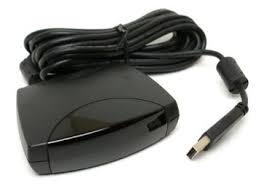
- images.jpg (4.88 KiB) Viewed 3163 times
Re: Sharp LCD TV Remote plugin
Posted: Tue Oct 18, 2016 2:51 pm
by kgschlosser
yeah if it is showing up in your device manager as an ehome device then you should be good to go. you need to use the MCE plugin for windows 7 and run eventghost as administrator. install the Alternate mce IR service.
and this is going to sound goofy. but.
before you install the plugin or the service (if you have them already installed uninstall the service)
go into device manager and delete all the drivers for the IR receiver.
do not unplug the receiver, reboot the computer, and when the computer is booting up continually press a button on a remote and have the remote pointed at the receiver. keep doing it until windows is fully loaded and any driver installation tones are done. you should hear 3-4 of them.
then do the installation of the Alternate MCEIR Service. but remeber. run event ghost as administrator when installing the service.
and once the plugin and servide are installed. you can restart Eventghost as a normal user. and select the action for learning a code and open it;s config dialog. set the Action to remember the code on the 5th time you press the remote. and you want to have the remote about 3" from the front of the receiver. if you have any halogen lights or any fluorescent lights. turn them off. you want to make sure you don't have any mirrors near by or any windows. this is all due to IR bounce. as well as those 2 types of lights throw off IR this is only necessary during the learning phase.
once learned it's not going to tell you the name of the button. only the code in an event. and you can make a little script to make a nice user friendly name for the event if you like. but it's really not necessary. this is due to the fact you are using a Non MCE remote so EG has no Idea what button it is you are pressing because the code is different.
Re: Sharp LCD TV Remote plugin
Posted: Wed Oct 19, 2016 1:11 am
by jang430
Hello. Thanks for the help. I got it to 'see' my sharp remote.
Re: Sharp LCD TV Remote plugin
Posted: Wed Oct 19, 2016 6:54 am
by kgschlosser
don't know if what i posted is what did the trick, but it's good you got it going.
if you have any other questions feel free to ask
Re: Sharp LCD TV Remote plugin
Posted: Thu Oct 20, 2016 10:17 am
by jang430
kgschlosser wrote:don't know if what i posted is what did the trick, but it's good you got it going.
if you have any other questions feel free to ask
kgschlosser, your instructions worked perfectly. It's what I followed.