Some BD remote dont have VID and PID, only productString = BD Remote Control. I add support for such remote in plugin.
Now for me work on Windows 10 with standard Microsoft drivers. But need some time for tests.
Does it exist any procedure for adding fixed or updated plugins? Or just put in on forum?
Notice: This forum has been recovered from an old backup, so some content, links, and dates may be outdated. The forum is currently read-only while we restore sign-in and registration functionality. Details
If you find this forum valuable and would like to help keep it online, donations to help cover hosting and domain costs are greatly appreciated, but never expected. You can support the forum through Buy Me a Coffee or Ko-fi. Thank you for helping preserve the EventGhost community.
If you find this forum valuable and would like to help keep it online, donations to help cover hosting and domain costs are greatly appreciated, but never expected. You can support the forum through Buy Me a Coffee or Ko-fi. Thank you for helping preserve the EventGhost community.
Search found 5 matches
- Sun Feb 12, 2017 11:56 am
- Forum: Plugin Support
- Topic: PlayStation 3 Bluetooth Remote
- Replies: 267
- Views: 180295
- Sun Feb 19, 2012 7:13 pm
- Forum: General Support
- Topic: CyberlinkUniversalRemote
- Replies: 6
- Views: 4081
Re: CyberlinkUniversalRemote
Fix Power button.
- Sun Jan 22, 2012 11:49 am
- Forum: General Support
- Topic: CyberlinkUniversalRemote
- Replies: 6
- Views: 4081
CyberlinkUniversalRemote
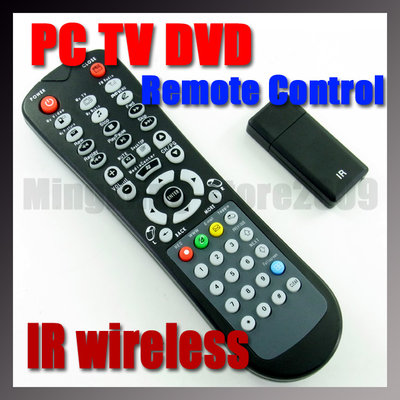
I bought remote in ebay . Like Cyberlink, but with Sapphire label. Evenghost identified it as CyberlinkUniversalRemote.
After some time has stopped working autorepeat and sometimes did not work the DVDMenu button.
I rewrite plugin for CyberlinkUniversalRemote. Now everything is working properly ...
After some time has stopped working autorepeat and sometimes did not work the DVDMenu button.
I rewrite plugin for CyberlinkUniversalRemote. Now everything is working properly ...
- Mon Aug 15, 2011 9:12 pm
- Forum: General Support
- Topic: Only 7 keys recognized from PHX01RN remote
- Replies: 16
- Views: 11364
Re: Only 7 keys recognized from PHX01RN remote
Plugin for PHX01RN (VID_0755&PID_2626)
- Mon Aug 15, 2011 9:07 pm
- Forum: General Support
- Topic: Using OSD and display current volume level [SOLVED]
- Replies: 56
- Views: 50184
Re: Using OSD and display current volume level
Volume OSD bar.
Insert after "Change Master Volume" action "Show OSD". Paste in "Text to display" this code:
Insert after "Change Master Volume" action "Show OSD". Paste in "Text to display" this code:
Code: Select all
Volume {'|'*int(round(eg.result))+'.'*(100-int(round(eg.result)))} {int(round(eg.result))}%