RemoteGhost
RemoteGhost will turn your Windows Phone into EventGhost remote, one of the most powerfull tools for home automation and homecinema PC. Remote Ghost send event to EventGhost server on your computer in order to control your favorite applications or home cinema equipment.
EventGhost can control Windows operating system, many programs like XBMC, PowerDVD  and homecinema equipment like Samsung TV, Denon AV  and can be customized to control all types of Windows applications.
RemoteGhost is not a standalone remote application. EventGhost Server is require.
Main features
- Send events to EventGhost server
- Send event with button & Windows Phone keyboard
- Send Wake on LAN on startup
- Advises user to enable Wi-Fi
- FF, Rewind, Up, Down, Left and Right are repeat button you can hold the button to spam the command
Install & Configuration
On Computer
Be sure to have a computer with EventGhost Installed
Start EventGhost and click Add PlugIn....
Select Network Event Receiver
In the plugin configuration setup the TCP/IP Port (Default 1024)
Password to use for security
And the Event Prefix to TCP
Click OK
On Windows Phone
Install the application from Windows Phone Store
Use the configuration button to setup your EventGhost Server
Use it and check eventghost server New Event are here !!!
More info and screenshots on xda : http://forum.xda-developers.com/showthr ... ?t=2076716
Notice: This forum has been recovered from an old backup, so some content, links, and dates may be outdated. The forum is currently read-only while we restore sign-in and registration functionality. Details
If you find this forum valuable and would like to help keep it online, donations to help cover hosting and domain costs are greatly appreciated, but never expected. You can support the forum through Buy Me a Coffee or Ko-fi. Thank you for helping preserve the EventGhost community.
If you find this forum valuable and would like to help keep it online, donations to help cover hosting and domain costs are greatly appreciated, but never expected. You can support the forum through Buy Me a Coffee or Ko-fi. Thank you for helping preserve the EventGhost community.
RemoteGhost v1.4.3 - Windows Phone Remote App for EventGhost
RemoteGhost v1.4.3 - Windows Phone Remote App for EventGhost
Last edited by Rvmax on Fri Feb 14, 2014 5:46 pm, edited 4 times in total.
Re: RemoteGhost - Windows Phone Remote App for EventGhost
Application is available on windows phone store for free.
Download on Windows Phone Store
- qr
- qrcode.14675996.png (535 Bytes) Viewed 4708 times
Re: RemoteGhost v1.3.0 - Windows Phone Remote App for EventG
Update 1.4.0
RemoteGhost 1.4 Pro is also available on marketplace with full remote creation and customization.
- Add appbar with settings, info and keyboard link
- Inform user to go to settings if no eventghost server is setup
- Little modifications in remote design
RemoteGhost 1.4 Pro is also available on marketplace with full remote creation and customization.

Re: RemoteGhost v1.4.0 - Windows Phone Remote App for EventG
Rvmax wrote:RemoteGhost
RemoteGhost will turn your Windows Phone into EventGhost remote, one of the most powerfull tools for home automation and homecinema PC. Remote Ghost send event to EventGhost server on your computer in order to control your favorite applications or home cinema equipment.
EventGhost can control Windows operating system, many programs like XBMC, PowerDVD  and homecinema equipment like Samsung TV, Denon AV  and can be customized to control all types of Windows applications.
RemoteGhost is not a standalone remote application. EventGhost Server is require.
Main features
- Send events to EventGhost server
- Send event with button & Windows Phone keyboard
- Send Wake on LAN on startup
- Advises user to enable Wi-Fi
- FF, Rewind, Up, Down, Left and Right are repeat button you can hold the button to spam the command
Install & Configuration
On Computer
Be sure to have a computer with EventGhost Installed
Start EventGhost and click Add PlugIn....
Select Network Event Receiver
In the plugin configuration setup the TCP/IP Port (Default 1024)
Password to use for security
And the Event Prefix to TCP
Click OK
On Windows Phone
Install the application from Windows Phone Store
Use the configuration button to setup your EventGhost Server
Use it and check eventghost server New Event are here !!!
More info and screenshots on xda : http://forum.xda-developers.com/showthr ... ?t=2076716
SWEET,
Very cool Rvmax.
One question...
What is Windows Phone?

eventghost.net
Be there or be square.
Be there or be square.
Re: RemoteGhost v1.4.0 - Windows Phone Remote App for EventG
Oh oh Eventghost is a pure Windows project, you've probably heard of Windows Phone.
try it
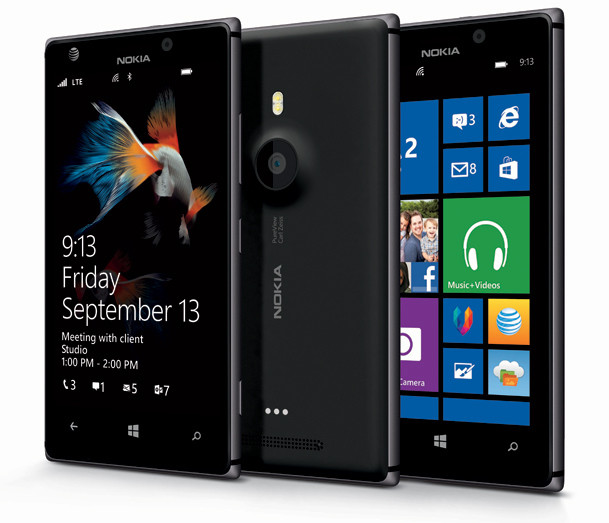
try it
Re: RemoteGhost v1.4.0 - Windows Phone Remote App for EventG
Update 1.4.2
- Add compatibility with dark / light phone theme
- When keyboard is open, click on keyboard icon in application bar will hide it.
- Hide system tray (clock, etc.) on black screen
- Improve communication with EventGhost server.
- Fix Wake On Lan feature
Re: RemoteGhost v1.4.2 - Windows Phone Remote App for EventG
Update 1.4.3
- Optimize application for Windows Phone 8